
Reddy Anna Login Problems? 10 Easy Fixes That Work
Can’t get into your account? Most Reddy Anna login problems come from a few small things the wrong tab, a typo in your number, an OTP that hasn’t arrived or an old link. The good news is that almost all of them take less than two minutes to fix.
This guide covers the 10 most common reasons your Reddy Anna login is not working, with a simple fix for each. The same steps also work for Reddy Book login, because Reddy Anna Pro and Reddy Book Pro use the same Sign In screen and the same ID.
Table of Contents
1. You Are on the Wrong Login Tab
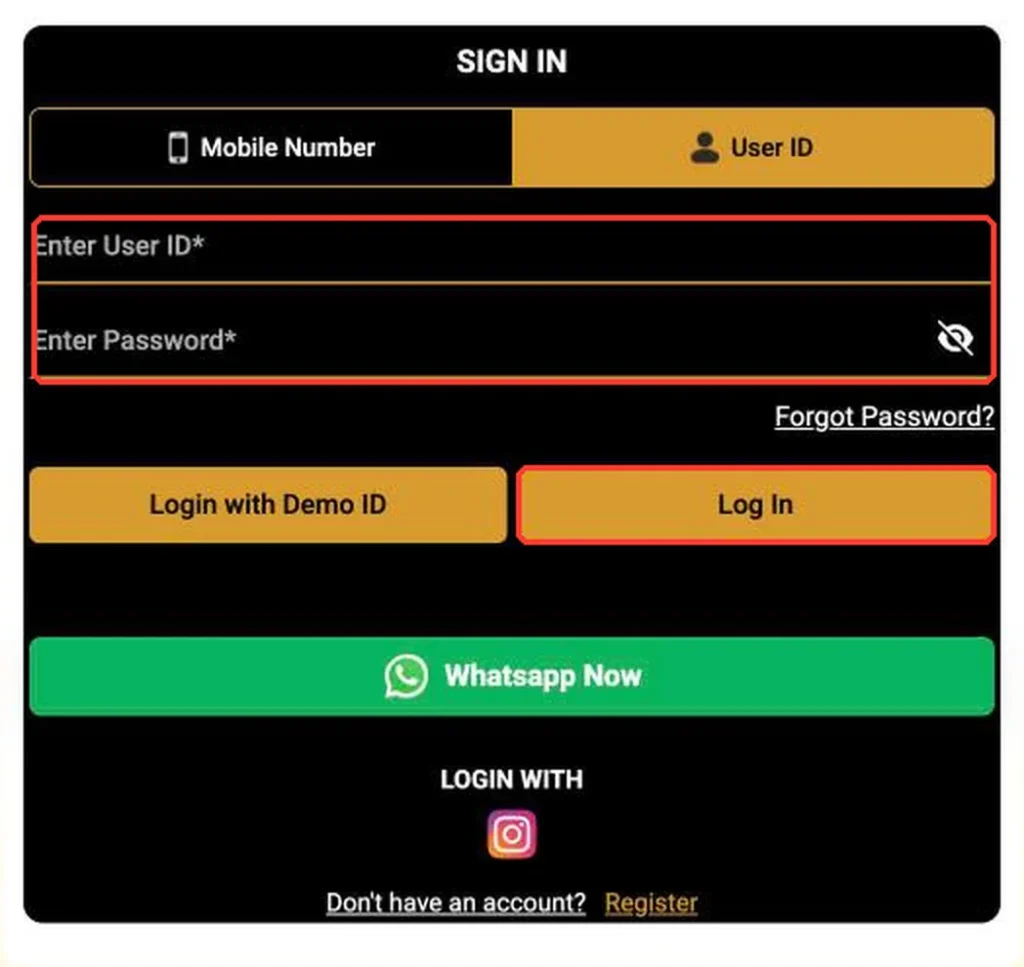
The Sign In screen has two tabs: Mobile Number and User ID. If you received a User ID from WhatsApp support but type it into the Mobile Number tab (or the other way round), the login will fail.
Fix:
- Got your ID from WhatsApp support? Use the User ID tab.
- Registered yourself with your phone? Use the Mobile Number tab.
2. Your Mobile Number Is in the Wrong Format
On the Mobile Number tab, the country code is already set to +91. Adding another 91, a 0 at the start or spaces in the middle can stop the number from being recognised.
Fix:
- Keep the code as +91.
- Type only your 10 digit mobile number, for example
9192777777. - Use the same number you registered with.
3. The Password Has a Small Typo
Passwords are case sensitive. Caps lock, an extra space or autofill entering an old password are very common causes of Reddy Book login problems.
Fix:
- Turn off caps lock.
- Tap the eye icon in the password field to see what you typed.
- Clear any saved password your browser fills in automatically and type it fresh.
4. You Forgot Your Password
If you are not sure of your password, do not keep guessing. Too many wrong attempts can slow you down.
Fix: use either of these:
- Tap Forgot Password? on the Sign In screen and reset it with your registered mobile number.
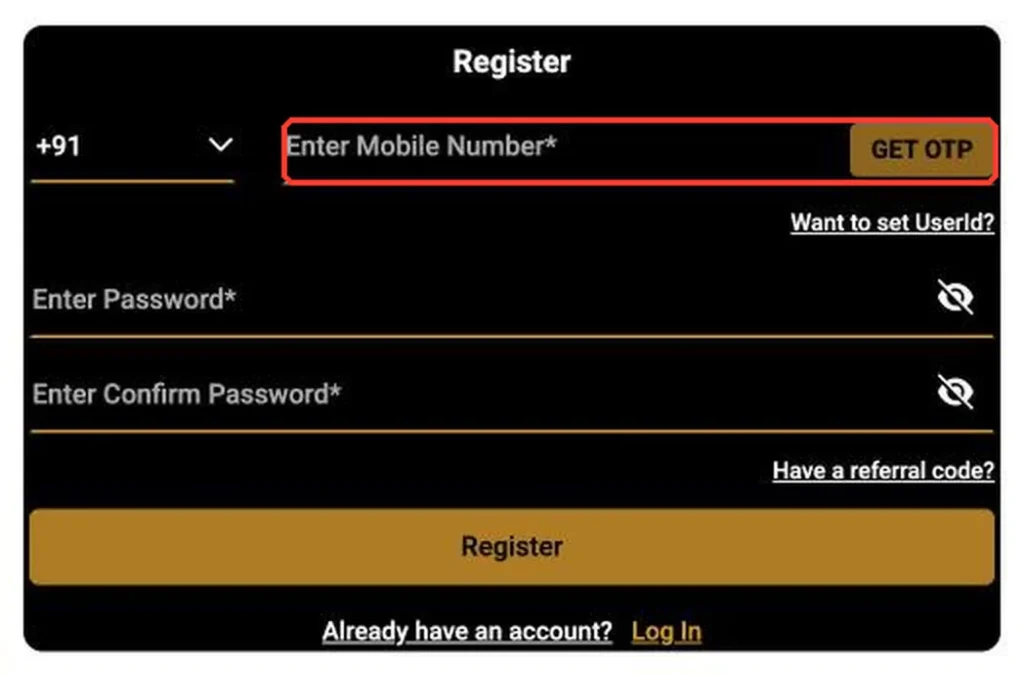
- Or skip the password: choose Mobile Number, select OTP, tap GET OTP and log in with the code.
5. The OTP Is Not Arriving
Reddy Anna OTP not received is one of the most searched login issues. It is usually caused by network delays or SMS settings, not by your account.
Fix:
- Wait at least 60 seconds before asking for a new code.
- Check that the number on screen is correct.
- Make sure your phone has signal. Turn airplane mode on and off once.
- Check that SMS from unknown senders or “promotions” is not blocked or filtered.
- If you use a dual SIM phone, make sure the registered SIM is active.
- Tap GET OTP again. Use only the latest code you receive.
Still nothing after a few tries? Contact official support on WhatsApp.
6. You Are Using an Old or Fake Link
Login links can change over time. An old bookmark may stop working, and fake copy sites are made to steal IDs and OTPs. The platform itself shows a notice telling players to use the latest link with the same username and password if an old link has a problem.
Fix:
- Use the latest official link, not an old bookmark or a link from an unknown WhatsApp group.
- Check the web address carefully before you enter your details.
- Your same User ID and password work on the new official link.
7. Your Browser Is Stuck
Old saved data in your browser can cause the login page to freeze, reload or show errors.
Fix:
- Refresh the page.
- Clear cache and cookies for the site (in Chrome: Settings > Privacy and security > Delete browsing data).
- Try another browser or an incognito window.
- Update your browser to the latest version.
8. The Reddy Anna App Is Outdated
If you can log in on the website but not in the app, your APK may be old.
Fix:
- Uninstall the old Reddy Anna app.
- Download the latest APK from the official site. See our Reddy Anna APK guide.
- Install it and log in with the same ID.
Never install an APK sent by an agent or unknown number. Modified apps can steal your login details.
9. Your Internet Connection Is Weak
A slow or unstable connection can make the Log In button seem to do nothing.
Fix:
- Switch between Wi-Fi and mobile data.
- Move to a spot with better signal.
- Turn off any data saver or VPN app that may block the site, then try again.
10. Your Account Is Locked or Needs Support
If none of the fixes above work, your account may need help from the support team, for example after many wrong attempts or a security check.
Fix: tap WhatsApp Now on the Sign In screen and share:
- Your User ID or registered mobile number
- A screenshot of the error message
Never share your password or OTP, even with someone who says they are from support.
Still Can’t Log In? Try the Demo ID
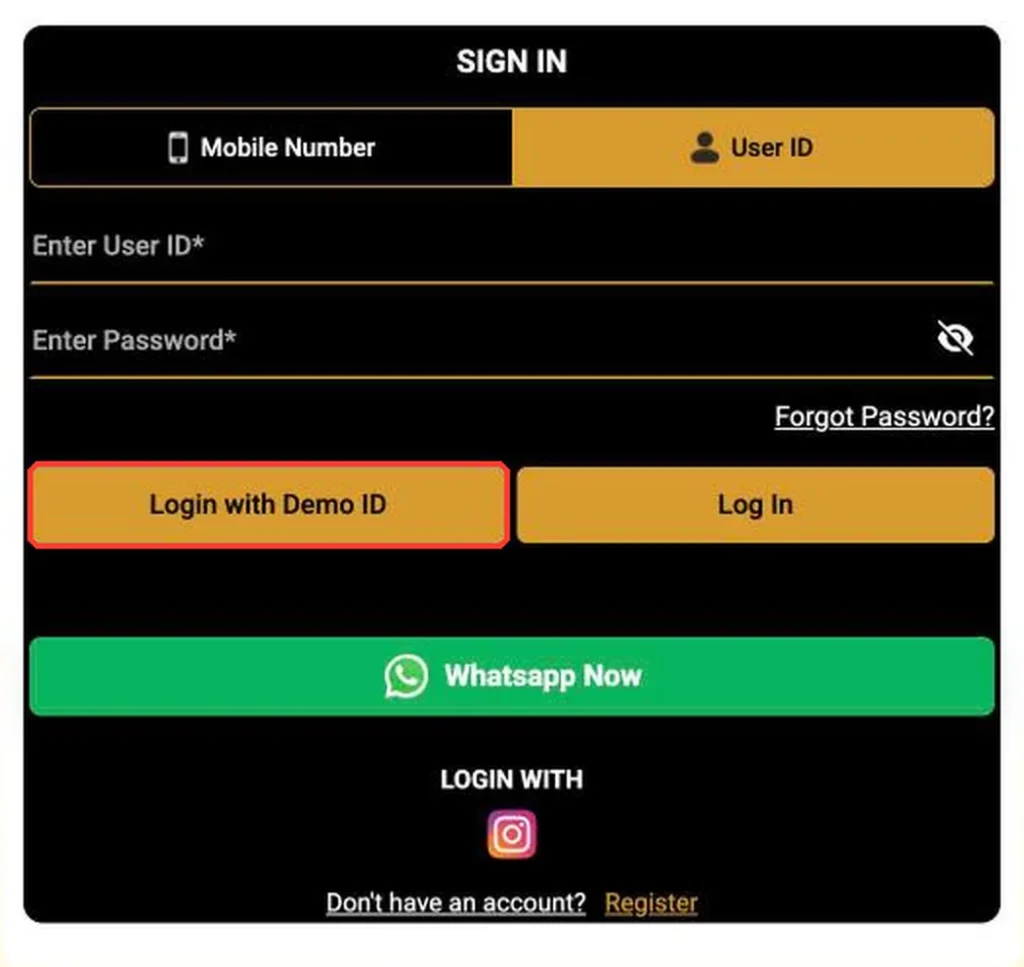
While you wait for help, you can still look around. Tap Login with Demo ID on the Sign In screen to explore sports, odds and casino lobbies without logging in to your own account.
How to Avoid Login Problems in Future
- Bookmark the latest official link and update it if the platform announces a new one.
- Use OTP login if you often forget passwords.
- Keep the APK updated and download it only from the official site.
- Never share your OTP or password with anyone.
- Do not buy IDs from agents. Register yourself or use the official WhatsApp support.
Reddy Anna Login Problems?
Why is my Reddy Anna login not working?
The most common reasons are using the wrong tab (User ID or Mobile Number), a typo in your number or password, an old link or a weak connection. Check each one, or log in with OTP instead.
What should I do if the Reddy Anna OTP is not received?
Wait 60 seconds, check your number, signal and SMS filters, then tap GET OTP again and use only the latest code. If it still does not arrive, contact official support on WhatsApp.
Is the Reddy Book login the same as Reddy Anna login?
Yes. Reddy Book Pro and Reddy Anna Pro use the same Sign In screen, so the same ID and the same fixes work for both.
Can I log in without a password?
Yes. Choose the Mobile Number tab, select OTP, tap GET OTP and enter the code sent to your registered number.
Will my ID work on a new Reddy Anna link?
Yes. If an old link stops working, your same User ID and password work on the latest official link.